
I Have Done the Unthinkable

I have cancelled Fios TV; which, for me, is the same as saying that I have cancelled Turner Classic Movies. Why? Because the picture on Fios TV One is so soft as to not qualify as being HD.

Until two-and-a-half years ago, TCM on Fios TV was in SD. I was delighted when, in September, 2022, Verizon added TCM in HD to the lineup on channel 730.

A Very Late, But Nice, Surprise

I was also very pleased to see that Fios TV in HD and the Watch TCM streaming service were indistinguishable in picture quality. That is no longer the case with the new, and mandatory, Fios TV One system.

A direct comparison with the WatchTCM app isn’t necessary to see Fios TV’s obvious softness, but making that direct back-and-forth comparison reveals a loss of detail comparable to DVD quality. It’s obvious not only on the JVC D-ILA projector, but also on the 720p bedroom TV. And it’s on every station, not just TCM, but TCM is the only cable channel I care about.

Based on HD having such poor resolution, Verizon’s touting of 4K video is laughable. Obviously, Verizon has introduced lossy recompression into its video chain, undoing what had been the hallmark of Fios TV’s original and outstanding image quality. What scarce technical resources are they saving by doing that?

One way for me to think about this is I’ve been returned to the way it was before TCM HD on Fios TV. WatchTCM was the only way I watched the channel, and very rarely did I use the DVR to record TCM in SD. But I refuse to do that again, having been spoiled and knowing what’s possible.

This does not bode well, not just for cable TV, but for the future of Turner Classic Movies. TCM has lost this devoted subscriber and charter member of the defunct TCM Backlot program.
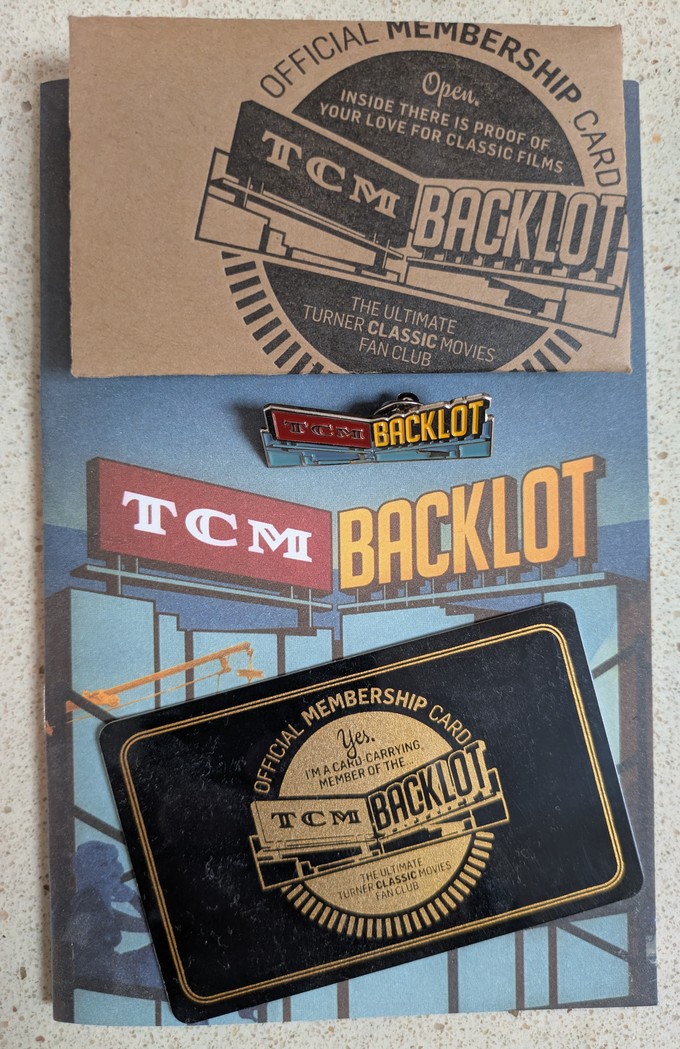
WatchTCM must inevitably become a standalone streaming subscription service, no longer tethered to the out-of-date cable TV business model. Until that happens, I will be relying upon the Criterion Channel, which offers at least some of the content that’s available on TCM.
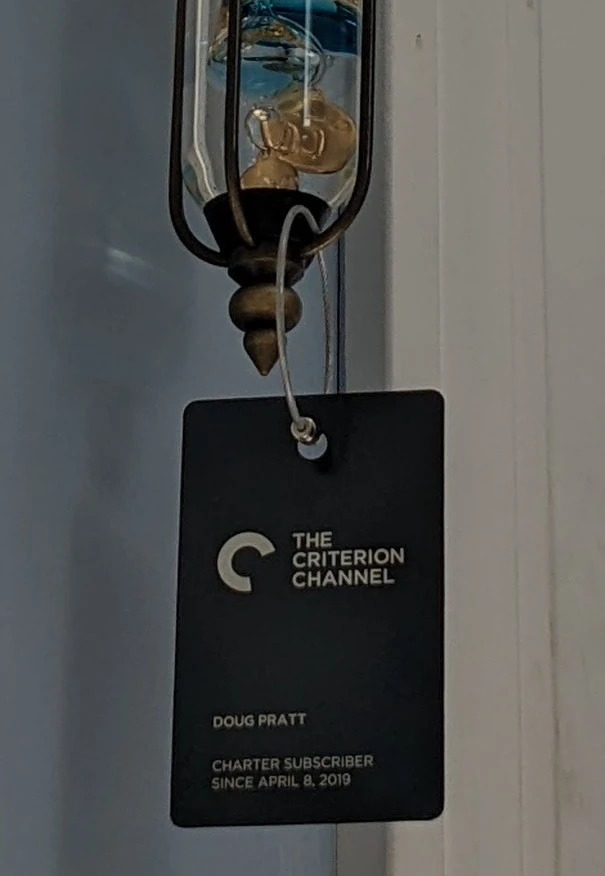
P.S. I neglected to mention there’s a TCM section inside of the Max streaming service. It’s a collection of movies, rather than being TCM or WatchTCM.
Fright Gallery

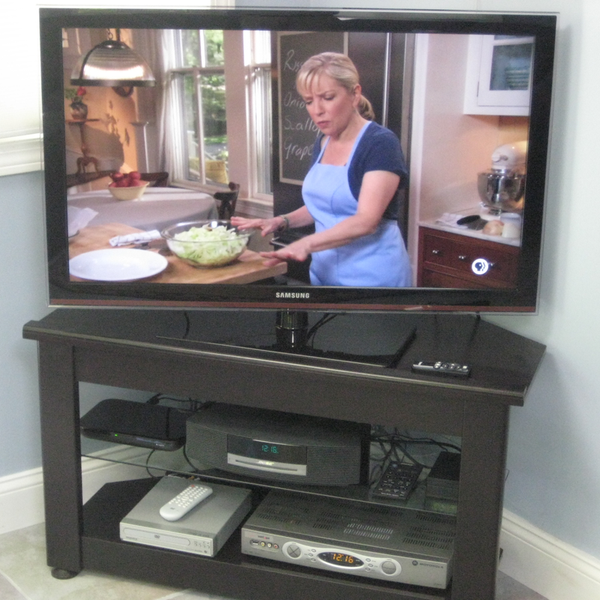
As pleased as I am that my Logitech Squeezebox hardware is back in full service, there’s another Logitech product from their most innovative period that’s dead, never to return to service — the Revue. It was Google’s first attempt at Google TV, only to be dropped when Chromecast was introduced. Such is progress. The Revue is seen in this picture from thirteen years ago, when the porch’s Samsung 40″ TV was new.

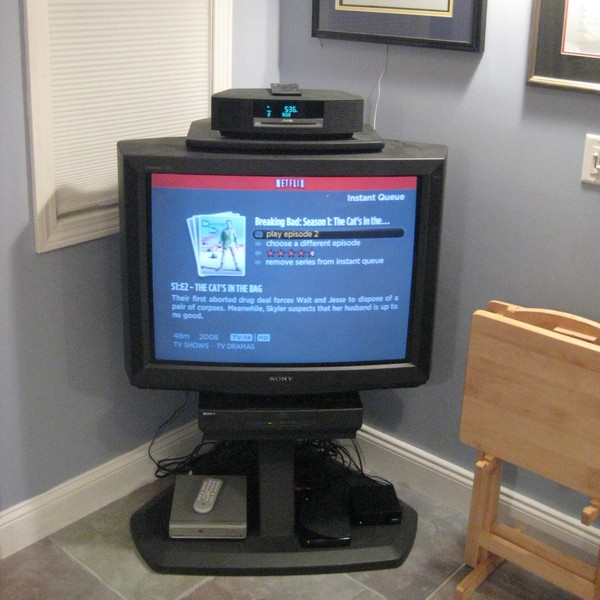
Also note the Magnavox DVD player. Lacking HDMI, it was connected to the Samsung via component video, having originally been on an S-Video cable going to the old Sony 32XBR100. The Sony is in the basement and it continues to be used, not by me, for classic video games.

The DVD player, made by Funai, was swapped out long ago for a Samsung Blu-ray deck, and put into storage. Funai is in liquidation. Sony and Panasonic are the only major manufacturers continuing to sell Blu-ray players. Such is progress.

The Magnavox was recently pulled out of storage and put back into service for the Samsung 32″ bedroom TV. Being almost fifteen years old, the set has component inputs.

I’m using the DVD player to watch some of Night Gallery before going to bed. Last night I watched one of the most memorable Night Gallery stories, “The Boy Who Predicted Earthquakes,” with Clint Howard.

Trying to Beat a Bad Backbeat

Friday will be cardiac ablation day for me at Mass General. I’m wondering if I’m a candidate for a new procedure from Boston Scientific, approved by the FDA just last April.

The director of the afib program at Harvard Medical School conducted clinical trials. He will be leading the team performing my procedure.

https://advances.massgeneral.org/cardiovascular/journal.aspx?id=2611

More on DHCP

The Logitech streaming radios are working okay. I’m flummoxed why there was a problem, because knowing the G3100 wouldn’t honor IP addresses it didn’t allocate, I had reset the IOGEAR Ethernet-to-WiFi adapters (with a paperclip) to clear their original IP addresses. Then for each of them I went through the WPS process with the new router.

They ran for days without a problem, but when it hit, all of the streamers exhibited a recurring loss of connection from their adapters. Which is why I’m on the lookout for the failures returning.

A DHCP Server Valentine for Clients

The DHCP problem on the new router is annoying, but at least I’m having fun while trying to figure it out.

  1. Returned the bedroom Logitech Squeezebox Radio to dynamic DHCP
  2. The two other Radios and Squeezebox Touch streamer remain static DHCP IP address assignments
  3. Rebooted the G3100 router
  4. Ran the Ethernet network connection option on the Radios and the Touch
  5. The Ethernet connection icons flashed red, indicating a momentary loss of IP address due to a connectivity break from the IOGEAR adapters
  6. Checked the router’s LAN DHCP log
  7. The network connection routines, as indicated by the icons, had initiated DHCP renewals
  8. All of the DHCP sequences succeeded
BEDROOM - DYNAMIC DHCP
----------------------
[LDHCP] DHCPACK on 192.168.1.246 to 00:04:20:26:7e:57 (SqueezeboxRadio) via br-lan
2025 Feb 14 11:26:33

[LDHCP] DHCPREQUEST for 192.168.1.246 (192.168.1.1) from 00:04:20:26:7e:57 (SqueezeboxRadio) via br-lan
2025 Feb 14 11:26:33

[LDHCP] DHCPOFFER on 192.168.1.246 to 00:04:20:26:7e:57 (SqueezeboxRadio) via br-lan
2025 Feb 14 11:26:32

[LDHCP] DHCPDISCOVER from 00:04:20:26:7e:57 (SqueezeboxRadio) via br-lan
2025 Feb 14 11:26:27

[LDHCP] DHCPRELEASE of 0.0.0.0 from 00:04:20:26:7e:57 via br-lan (not found)
2025 Feb 14 11:26:27

[LDHCP] DHCPRELEASE from 00:04:20:26:7e:57 specified requested-address.
2025 Feb 14 11:25:38


GUEST ROOM - STATIC DHCP
------------------------
[LDHCP] DHCPACK on 192.168.1.212 to 00:04:20:29:e6:b1 (SqueezeboxRadio) via br-lan
2025 Feb 14 11:25:38

[LDHCP] DHCPREQUEST for 192.168.1.212 (192.168.1.1) from 00:04:20:29:e6:b1 (SqueezeboxRadio) via br-lan
2025 Feb 14 11:25:37

[LDHCP] DHCPOFFER on 192.168.1.212 to 00:04:20:29:e6:b1 (SqueezeboxRadio) via br-lan
2025 Feb 14 11:25:37

[LDHCP] DHCPDISCOVER from 00:04:20:29:e6:b1 (SqueezeboxRadio) via br-lan
2025 Feb 14 11:25:32

[LDHCP] DHCPRELEASE of 0.0.0.0 from 00:04:20:29:e6:b1 via br-lan (not found)
2025 Feb 14 11:25:32

[LDHCP] DHCPRELEASE from 00:04:20:29:e6:b1 specified requested-address.


KITCHEN - STATIC DHCP
---------------------
[LDHCP] DHCPACK on 192.168.1.194 to 00:04:20:2c:84:5c (SqueezeboxRadio) via br-lan
2025 Feb 14 11:21:40

[LDHCP] DHCPREQUEST for 192.168.1.194 (192.168.1.1) from 00:04:20:2c:84:5c (SqueezeboxRadio) via br-lan
2025 Feb 14 11:21:39

[LDHCP] DHCPOFFER on 192.168.1.194 to 00:04:20:2c:84:5c (SqueezeboxRadio) via br-lan
2025 Feb 14 11:21:39

[LDHCP] DHCPDISCOVER from 00:04:20:2c:84:5c (SqueezeboxRadio) via br-lan
2025 Feb 14 11:21:35

[LDHCP] DHCPRELEASE of 0.0.0.0 from 00:04:20:2c:84:5c via br-lan (not found)
2025 Feb 14 11:21:35

[LDHCP] DHCPRELEASE from 00:04:20:2c:84:5c specified requested-address.
2025 Feb 14 11:21:07


TOUCH - STATIC DHCP
-------------------
[LDHCP] DHCPACK on 192.168.1.222 to 00:04:20:22:fe:84 (SqueezeboxTouch) via br-lan
2025 Feb 14 11:16:43

[LDHCP] DHCPREQUEST for 192.168.1.222 (192.168.1.1) from 00:04:20:22:fe:84 (SqueezeboxTouch) via br-lan
2025 Feb 14 11:16:43

[LDHCP] DHCPOFFER on 192.168.1.222 to 00:04:20:22:fe:84 (SqueezeboxTouch) via br-lan
2025 Feb 14 11:16:43

[LDHCP] DHCPDISCOVER from 00:04:20:22:fe:84 (SqueezeboxTouch) via br-lan

[LDHCP] DHCPRELEASE of 0.0.0.0 from 00:04:20:22:fe:84 via br-lan (not found)
2025 Feb 14 11:16:39

[LDHCP] DHCPRELEASE from 00:04:20:22:fe:84 specified requested-address. 

What am I to make of this? Before I rebooted the router, DHCP lease renewal wasn’t working on these devices, whether or not the assigned private network IP addresses were static. Now I see the classic DORA stages — Discovery, Offer, Request and Acknowledgment.

Is the problem somehow now gone? All I can do is wait 24 hours to see if the Ethernet icons go red, and stay red, again. (DHCP lease timeout is 1440 minutes ÷ 60 = 24 hours)